
Syntexa Desktop
Compare insurers’ offers in minutes
Syntexa Desktop reads offer PDFs and lays them out in one table. You hide client data on your own computer — only anonymized copies reach us. All you need is an e-mail address. The app is in Polish.
10 comparisons over 14 days, free
Windows
Windows 10 and 11, 64-bit · .exe installer
Latest version · updates itself
macOS
Apple Silicon (M1 and newer) · .dmg file
Latest version · updates itself
Mac with an Intel processor? Download the Intel versionPrefer not to install anything? Start in the browser (without local anonymization).
No account to set up
You sign in with your e-mail and a one-time code. You can set a password later if you want to.
Anonymization on your computer
The originals stay on your computer. We only receive copies checked as clean.
A ready comparison table
Insurers and variants side by side: sums insured, premiums, scope and exclusions.
Guide
Your first comparison, step by step
From opening the app to a finished table. The screenshots come from Syntexa Desktop (Polish interface) and show sample liability offers for a fictitious client.
Sign in without an account
- 1
Open the app and choose guest sign-in
Start Syntexa Desktop. You need no password and no account — click “Zaloguj się jako gość” (sign in as a guest).
- 1 Guest sign-in, below the password form
Syntexa Desktop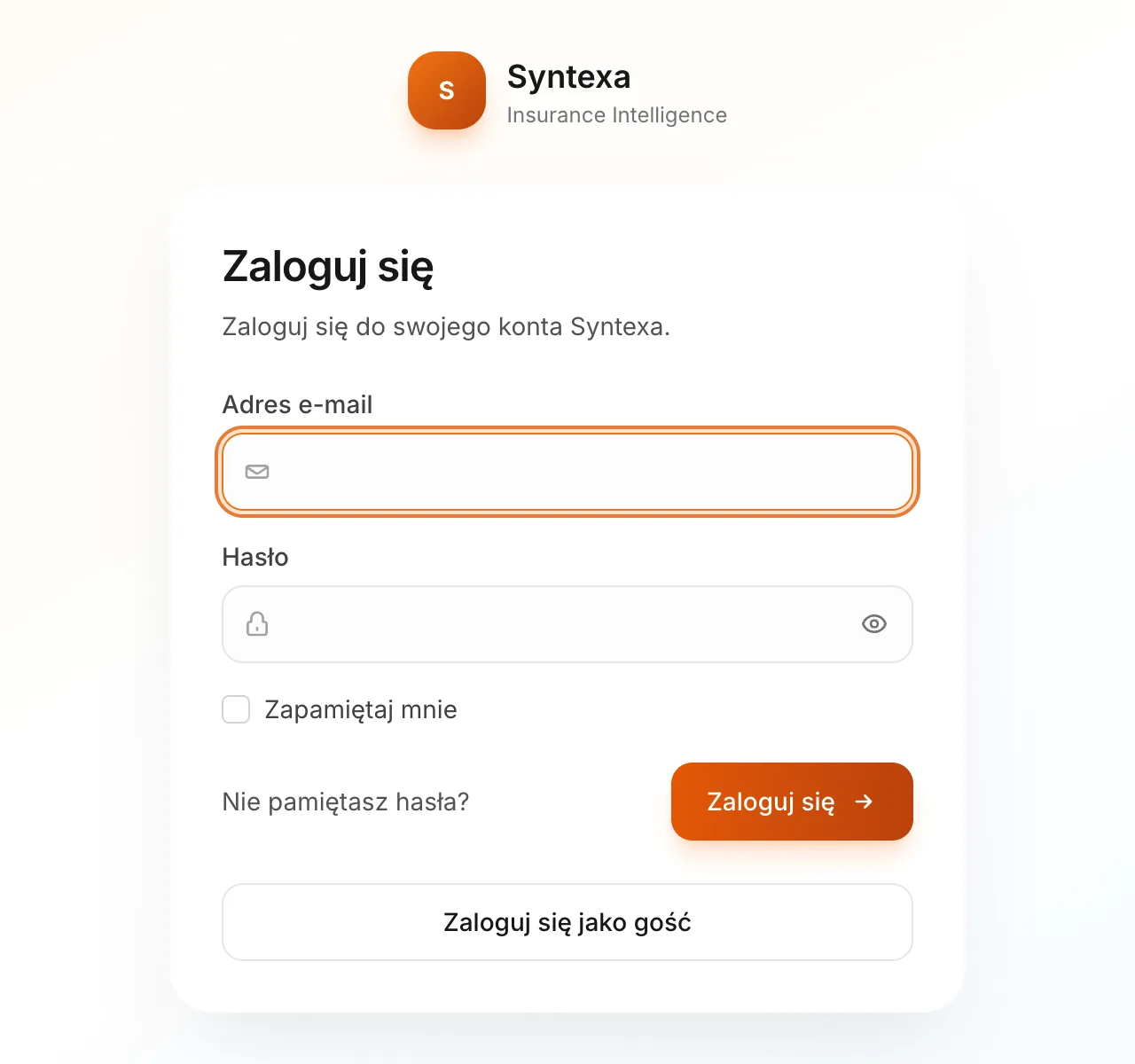
- 2
Enter your e-mail address
Type your work address, accept the terms of service and click “Wyślij kod” (send code). The code and your finished comparisons go to this address.
- 1 Your e-mail address
- 2 Consent to the terms of service
- 3 Send code
Syntexa Desktop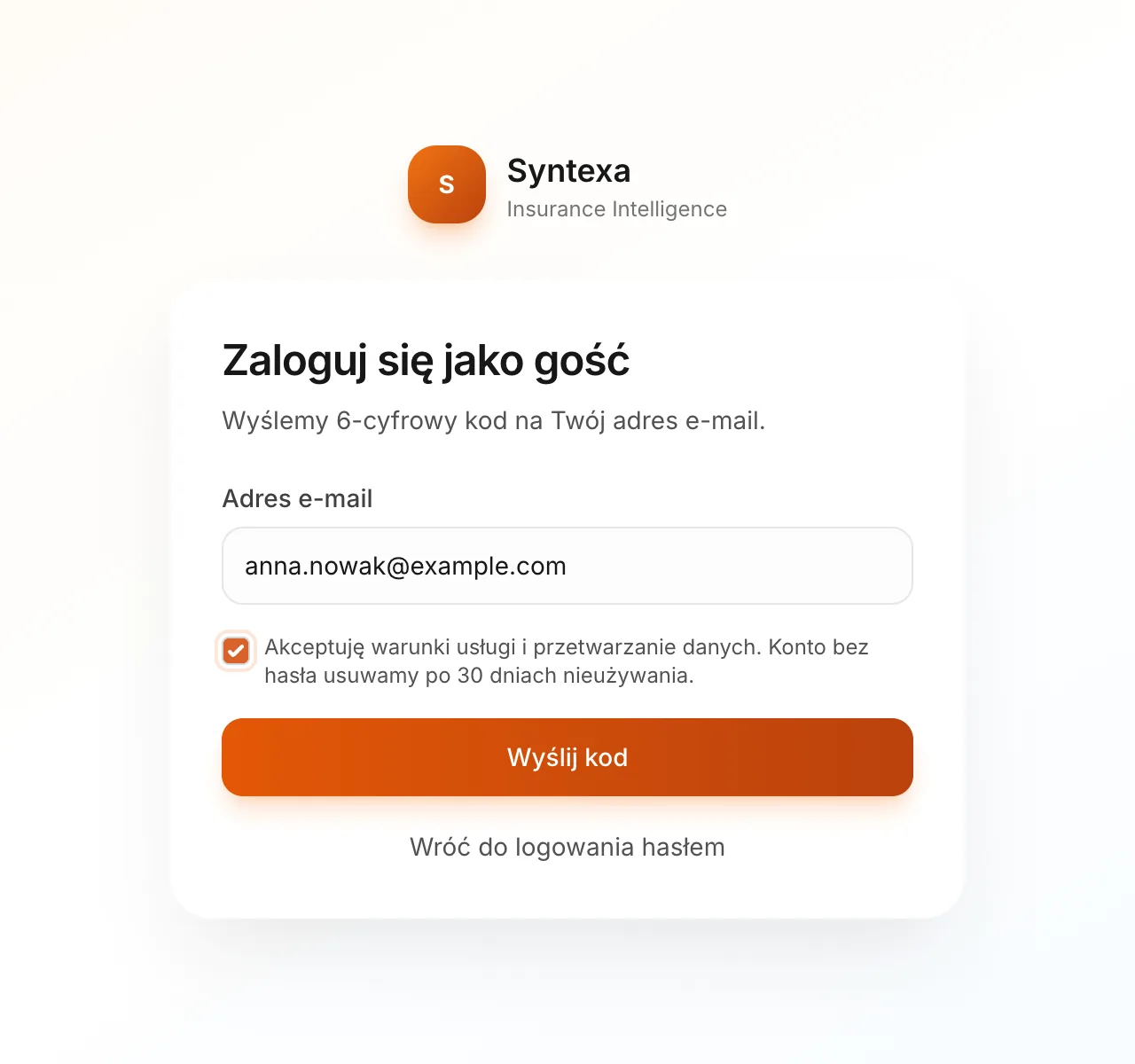
- 3
Enter the code from the e-mail
Check your inbox and copy the 6-digit code. It works for 15 minutes; if it has not arrived, check spam or click “Wyślij ponownie” (send again).
- 1 The code from the sign-in e-mail
- 2 Send again, if the code has not arrived
Syntexa Desktop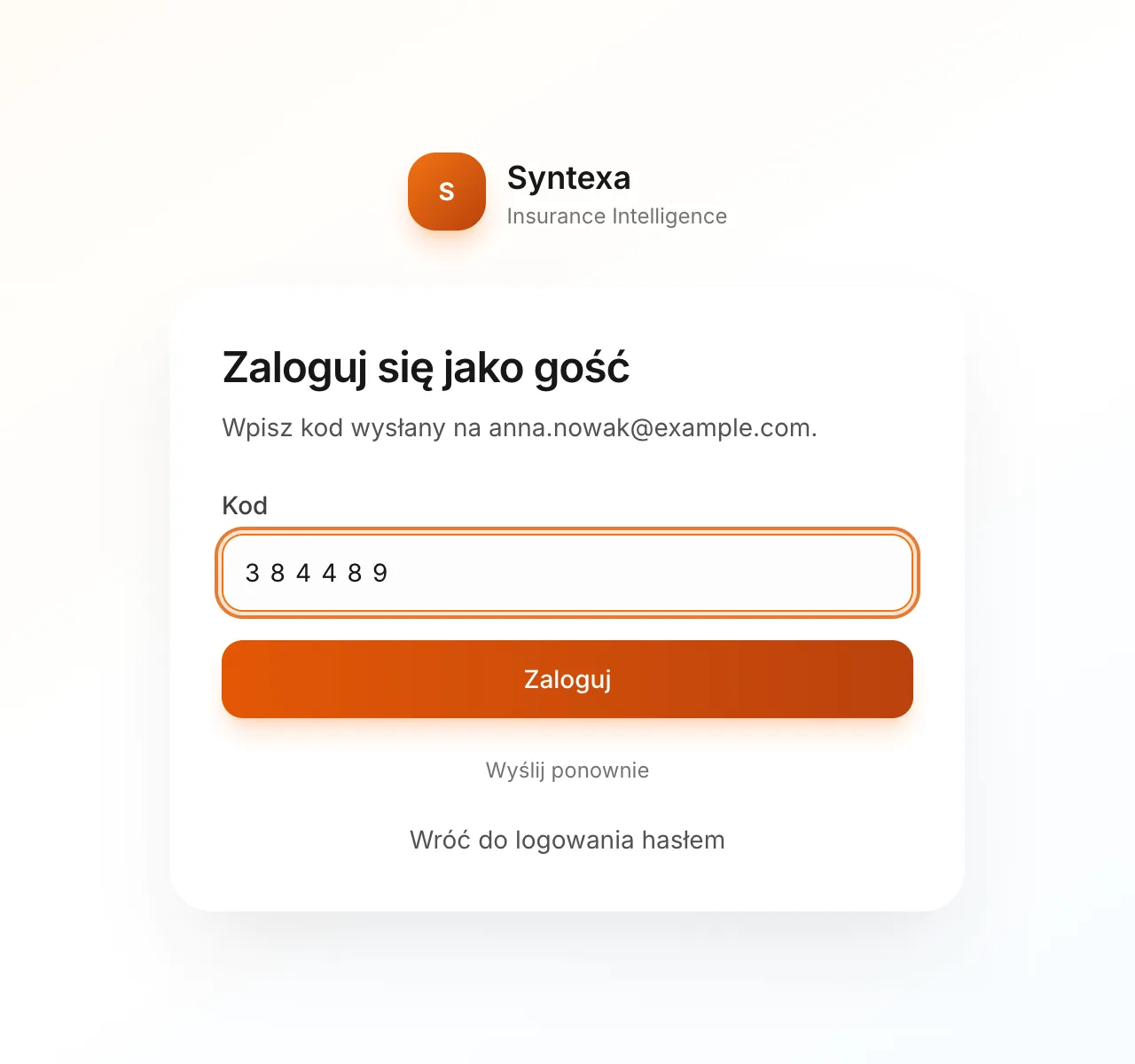
- 4
You start with a trial
The guest account works straight away: you have 10 comparisons over 14 days. The counter above the list shows how many you have used and when the trial ends.
- 1 New comparison
- 2 About the guest account
- 3 Trial counter
Syntexa Desktop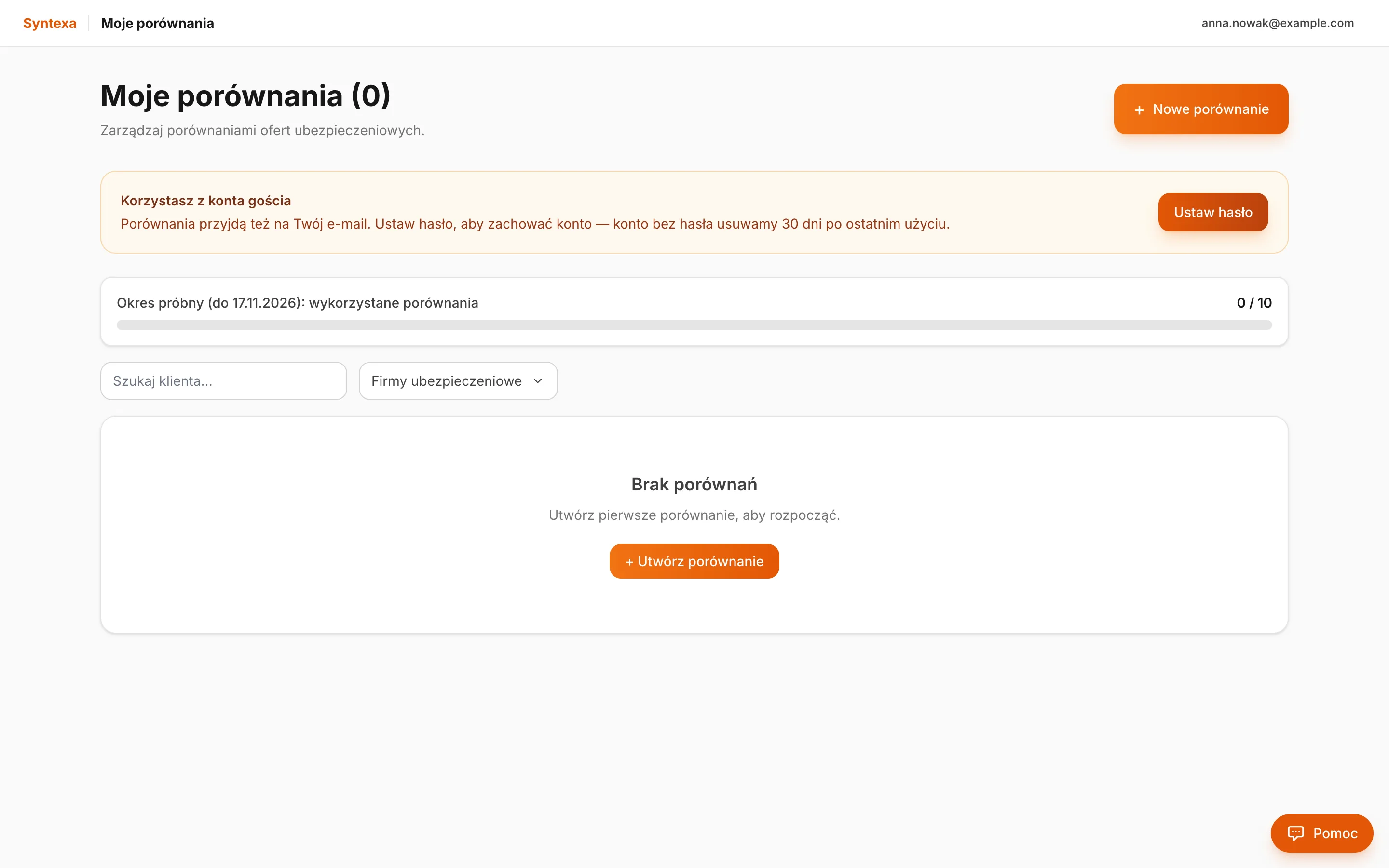
Your first comparison
- 5
Choose the line of insurance
Click “Nowe porównanie” (new comparison) and pick the line: life, motor, health, or property and liability. The example compares business liability offers.
- 1 Property and liability
Syntexa Desktop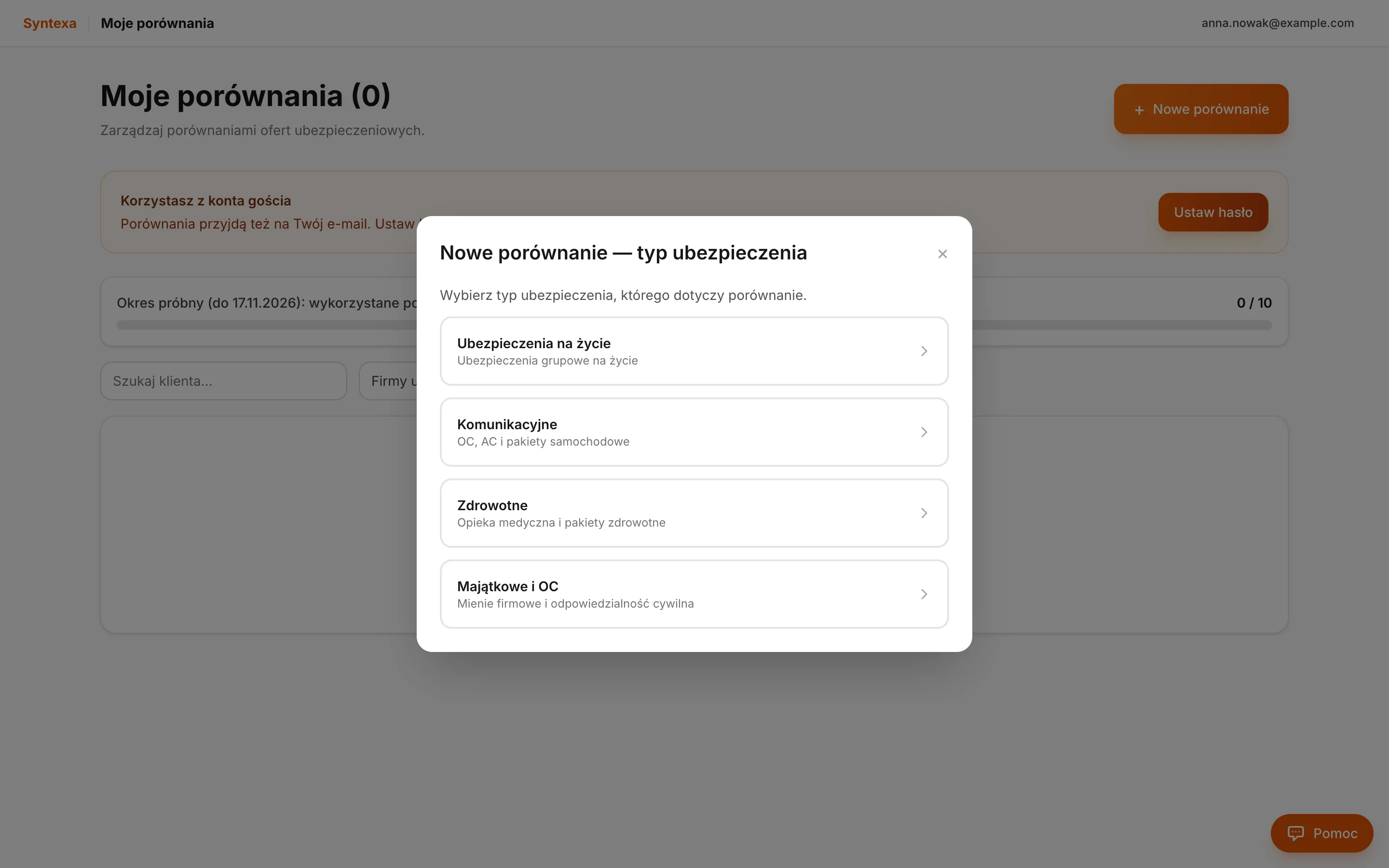
- 6
Add the insurers’ offers
Choose “Z pliku (PDF/Excel)” (from a file) and click the file area. Select the offer PDFs you want to compare — you can pick several at once.
- 1 Click to choose PDF files
Syntexa Desktop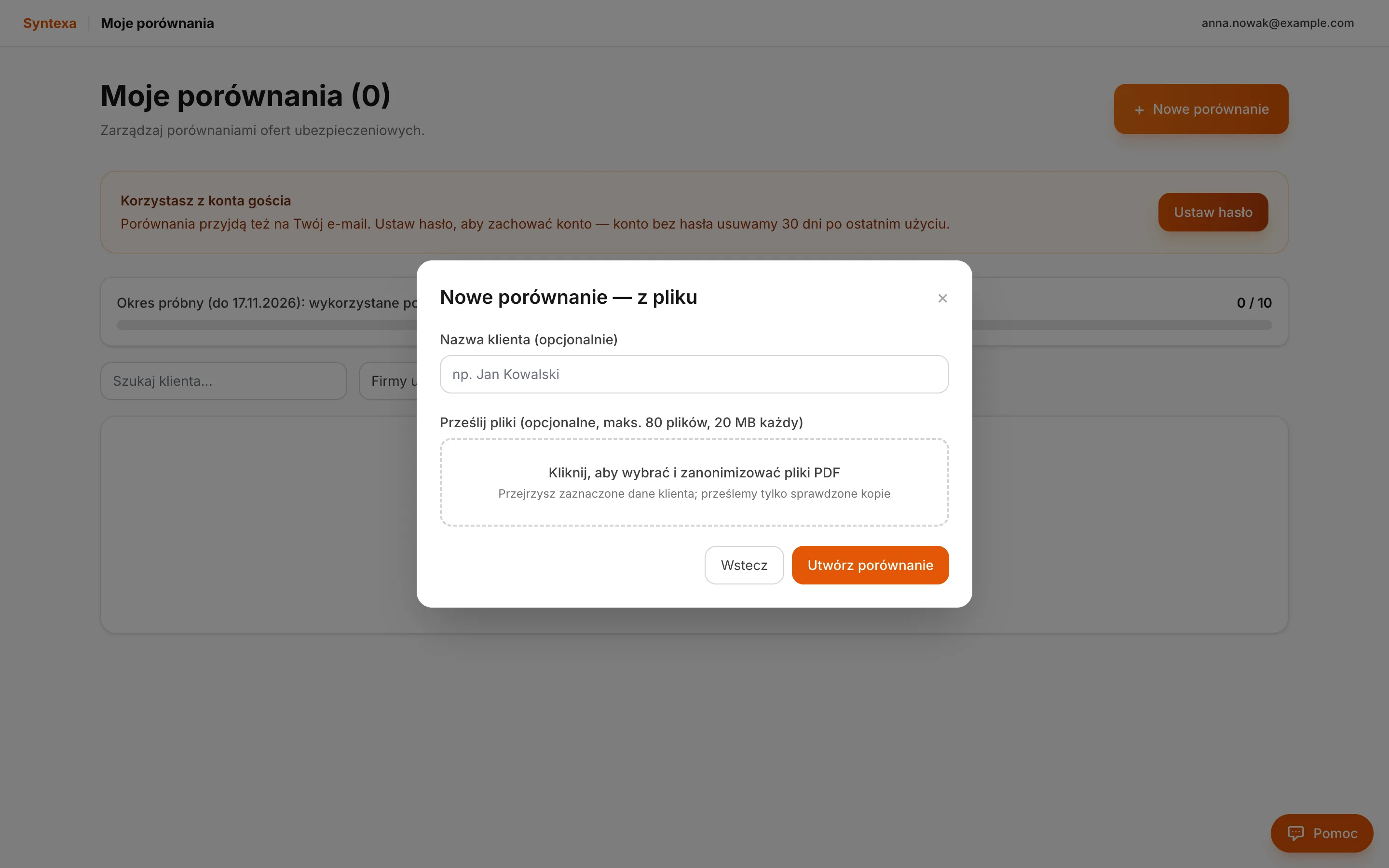
- 7
Anonymize the documents on your computer
Before anything is sent, the app finds the client in the offers and hides every occurrence of its name in every file. Review the pages: click a black box to reveal it, or select any area with the mouse. Something missing? Type a phrase in “Dodaj frazę” (add phrase) and press Enter. Every file is checked again; only copies marked “czysty ✓” (clean) are sent.
- 1 Status of each file
- 2 Detected client and number of matches
- 3 Hidden data on the page
- 4 Add clean files
Syntexa Desktop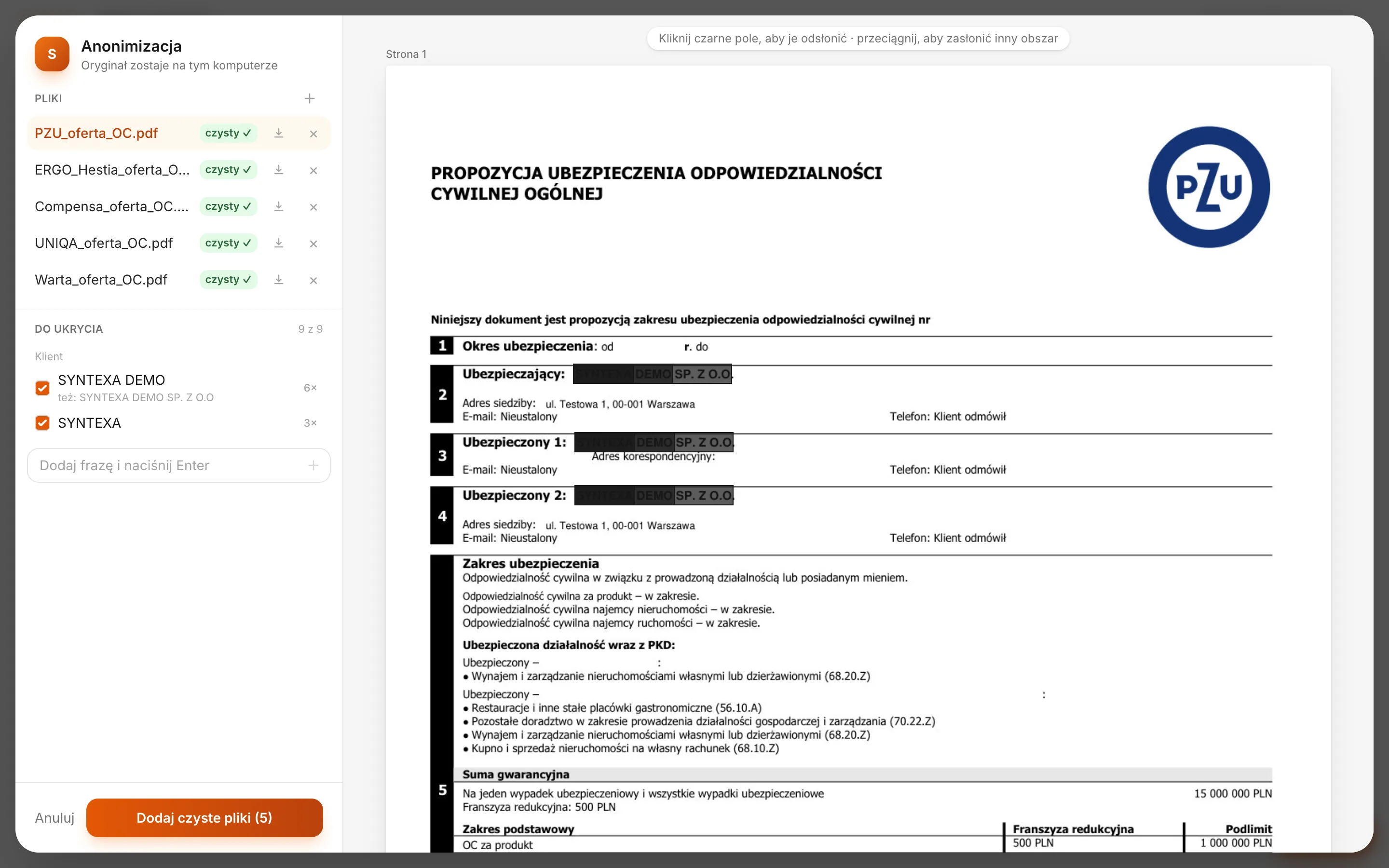
- 8
Create the comparison
Anonymized copies carry “_anonimizowany” in their name. Optionally type the client’s name so you can find the comparison in the list, then click “Utwórz porównanie” (create comparison).
- 1 Checked copies only
- 2 Create comparison
Syntexa Desktop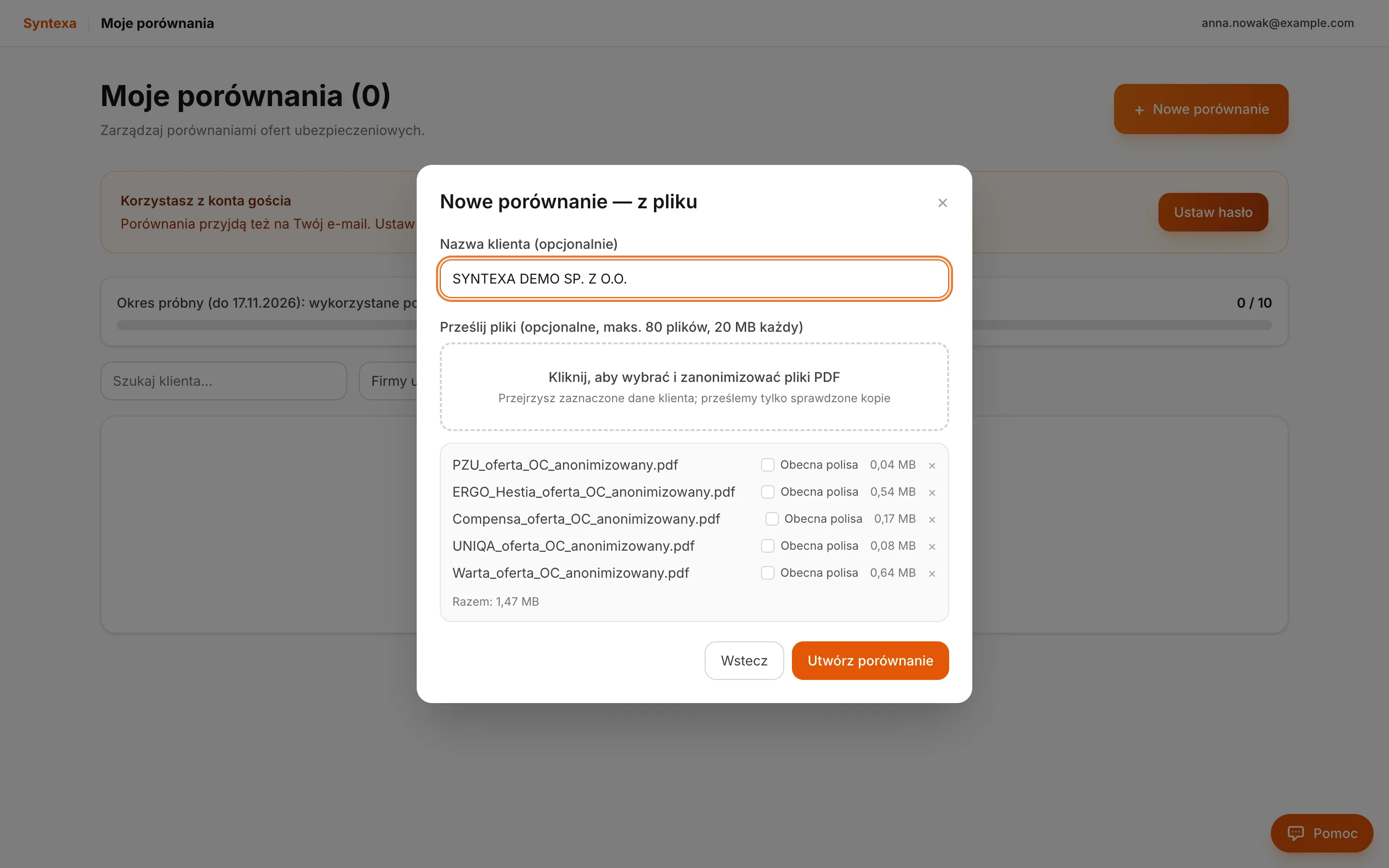
- 9
Wait while Syntexa reads the offers
Syntexa recognises the insurers and reads the terms from every offer. This usually takes a few minutes. You can close the window — the finished comparison also arrives by e-mail.
Syntexa Desktop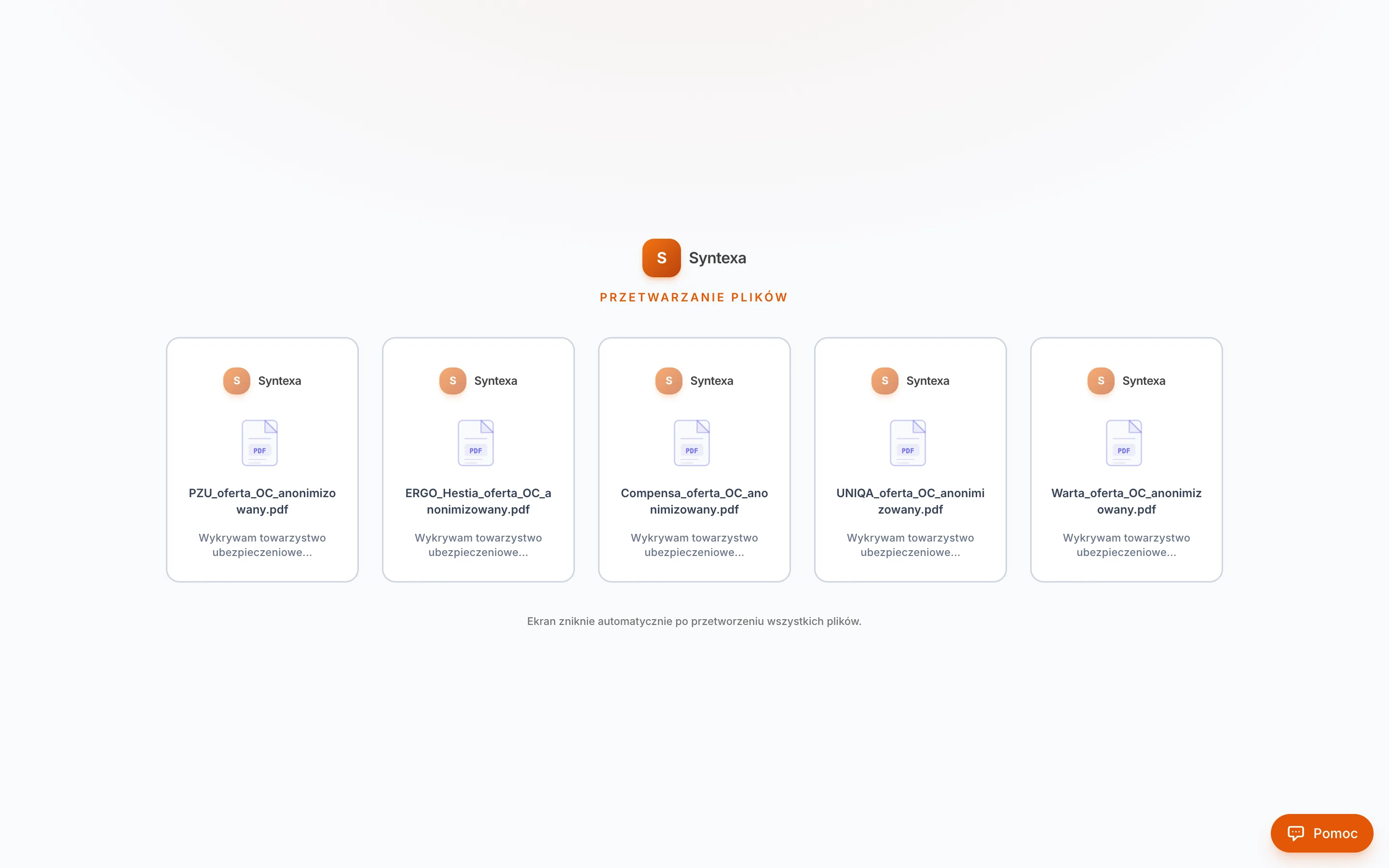
The result
- 10
The finished comparison
Every offer in one table: insurers and variants in the columns, sums, premiums and scope in the rows. Click a value to see where it comes from in the document; “Pobierz” (download) saves the comparison to a file.
- 1 Insurers and variants
- 2 Total premium of each variant
- 3 Download
Syntexa Desktop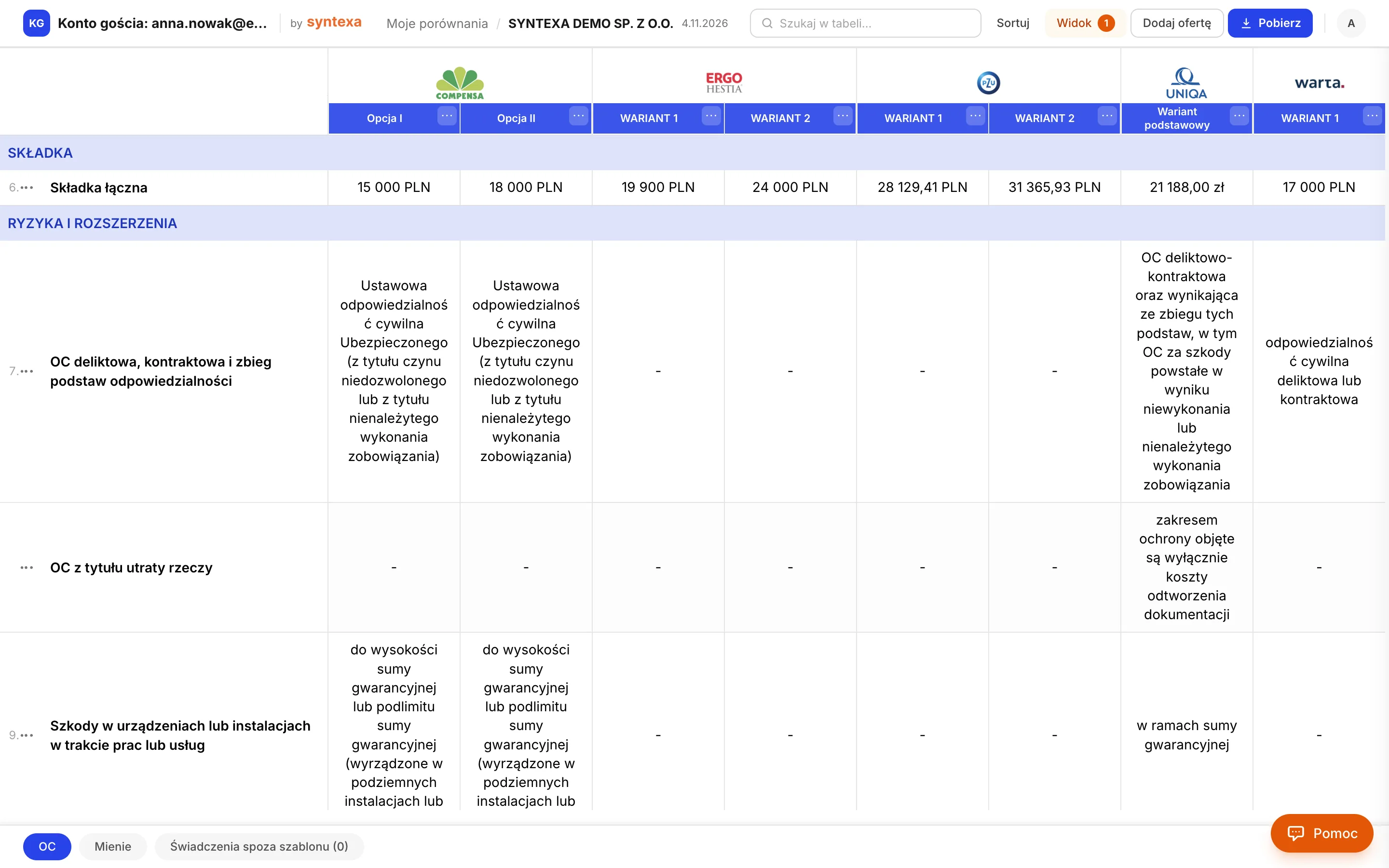
- 11
The trial counter
The comparison is in the list and the counter shows your usage (here 1 of 10). Every new comparison uses one from the trial.
- 1 Comparisons used
- 2 “Zobacz” (view) opens the comparison
Syntexa Desktop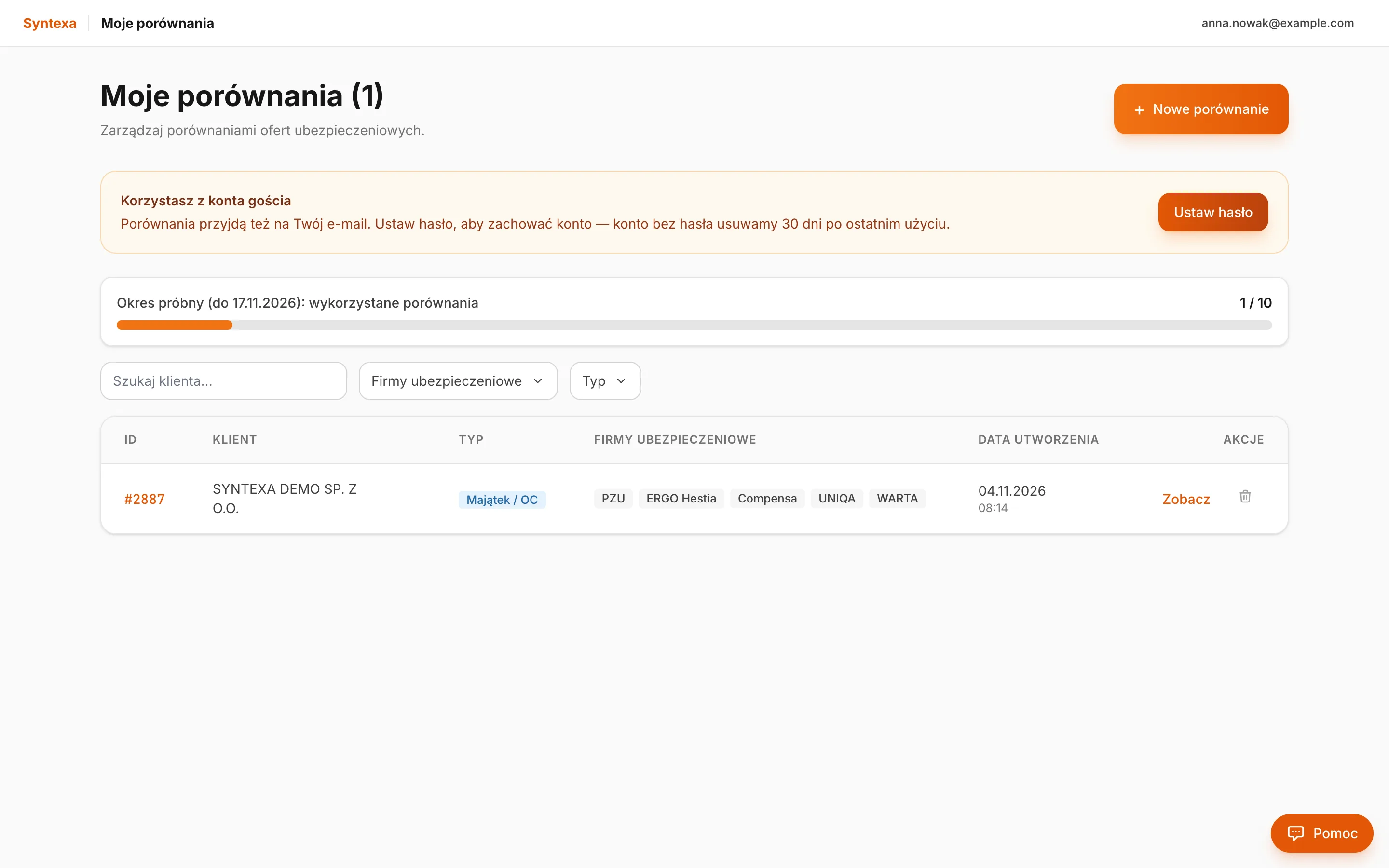
- 12
The comparison also arrives by e-mail
You get a message with a link to the comparison (valid for 30 days) — forward it or open it on your phone.
- 1 View the comparison
- 2 Set a password and activate the account
Mail — your comparison is ready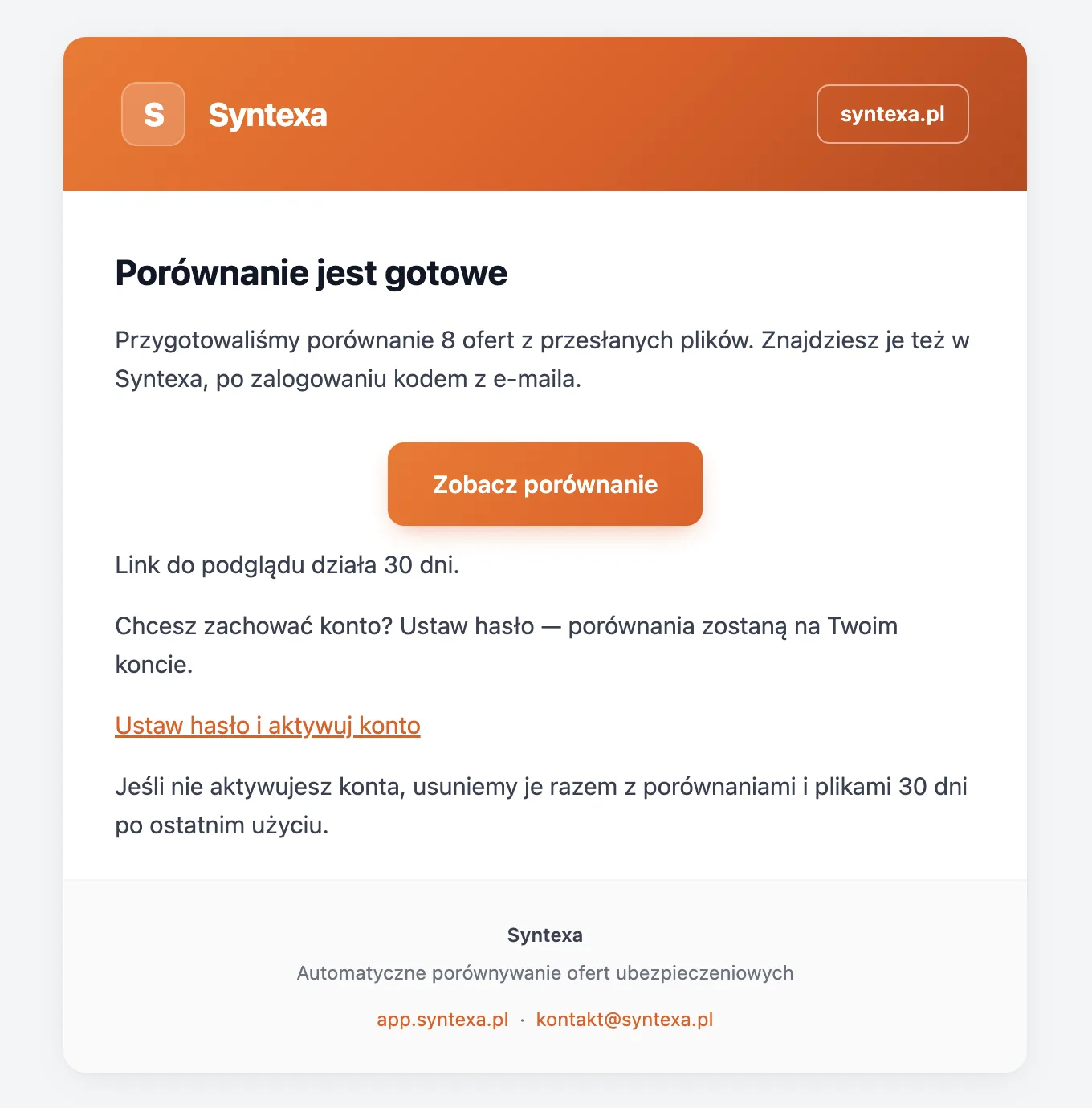
- 13
Optional: set a password and keep the account
An account without a password is deleted 30 days after it was last used. Click the link in the e-mail or “Ustaw hasło” (set password) in the comparison list and choose a password — your comparisons stay on your account.
- 1 Save the password
Syntexa Desktop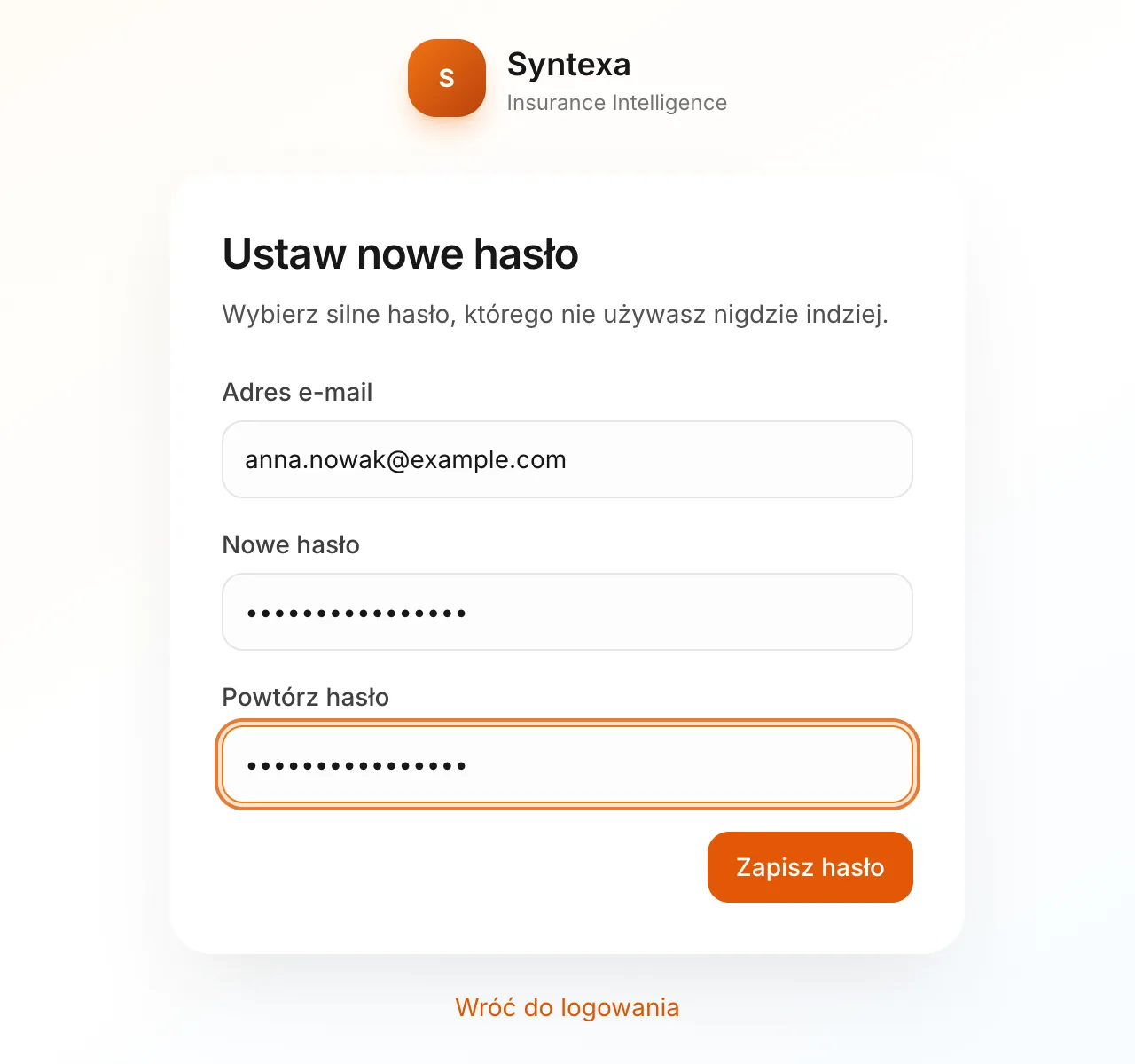
Installation
System requirements
The app updates itself: it downloads a new version in the background and installs it on the next start.
- Windows
- Windows 10 or 11, 64-bit (x64)
- macOS
- macOS 13 Ventura or newer; Apple Silicon (M1 and newer) or Intel
- Disk space
- About 500 MB
- Internet
- A steady connection: comparisons are built in Syntexa
FAQ